Slack AI Expands Enterprise Grid Features With Multi-Language Support
Serge Bulaev
Slack AI is now available for Enterprise Grid customers as a paid add-on, offering multi-language support and new admin controls. Users can translate messages and get conversation summaries in several languages, which may help multinational teams work more easily. Admins can control who uses the AI features and exclude certain channels, but they cannot monitor spending with Slack's own AI. Early reports suggest Slack AI might save users time and improve efficiency, but results can vary. Slack also plans to delete older admin records after two years starting April 2026, so teams may need to export important data before then.

Slack AI is available as a paid add-on for Enterprise Grid plans, initially in US and UK English, with broader rollout pending and pricing requiring sales contact. The new capabilities build upon features that have been in development, introducing enhanced administrative controls for large organizations. This guide examines the add-on's current features, administrative guardrails, and reported productivity impact for enterprise teams.
Multi-language coverage and translation workflow
Slack AI initially supported only US and UK English; support for other languages like Chinese, French, and German was not confirmed at launch. This update enables users to select a preferred language and translate messages within the same thread where supported. Conversation summaries, huddle notes, and thread recaps also function across supported languages, helping multinational teams align without switching applications.
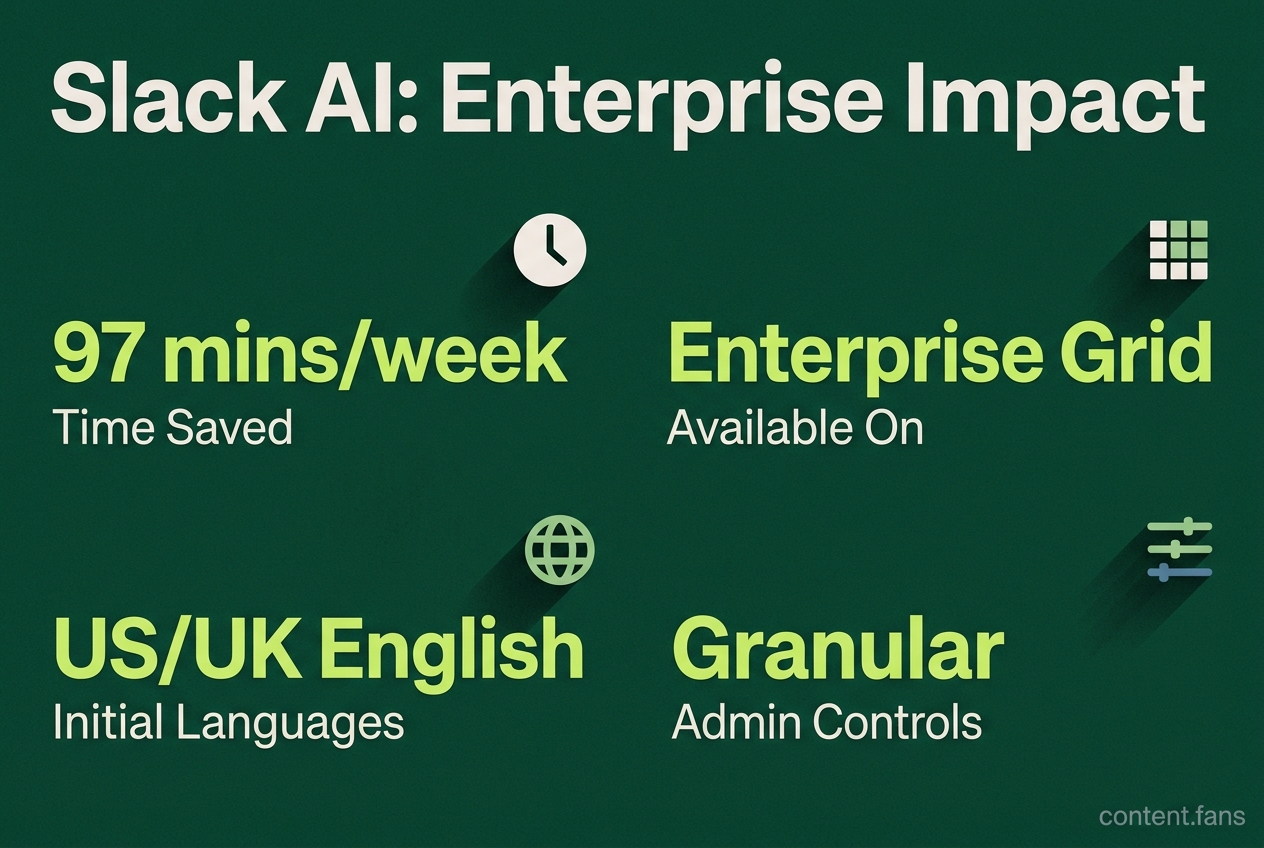
Slack AI is a paid add-on for Enterprise Grid, initially limited to US and UK English, with summaries but no confirmed translation support for multiple languages at launch. The update also provides granular admin controls for feature access and allows specific channels to be excluded from AI analysis for enhanced data privacy.
It's important to note the distinction between plan types. Advanced AI features are included in the new Business+ and Enterprise+ plans; the Slack AI add-on is no longer available for purchase on the Slack website. Legacy Enterprise Grid customers without AI features receive only basic-level summaries.
What admins can and cannot control
Enterprise administrators can manage access to AI features via 'Workspace settings' > 'Roles & permissions' > 'Feature access' > 'AI' (or 'Organization settings' > 'Roles & permissions' > 'Feature access' for Org-level controls). Permissions can be configured for everyone, no one, specific groups, or everyone except certain users. Enterprise Grid plans allow fine-grained exclusion of specific channels or groups, preventing their content from being processed by Slack's AI for search or summaries, while Enterprise+ (Workspace) plans typically only allow 'Everyone' or 'No one' for AI features.
However, these controls do not extend to spend monitoring. Slack AI is a paid add-on available on Business+ and Enterprise Grid plans, not automatically bundled into the base subscription price for all paid plans. Dashboards that monitor spending are associated with third-party integrations, not Slack's own platform. Recently added Canvas AI usage analytics offer adoption metrics, such as daily active users, to measure feature effectiveness rather than cost.
Early productivity signals
Slack reports an average of 97 minutes saved per user each week with AI. Early adopters frequently cite several main benefits:
- Reduced time spent scrolling through long channels due to AI-powered thread recaps.
- Faster decision-making cycles as instant translations remove language barriers where supported.
- Simplified approval processes created with natural language prompts in Workflow Builder.
Slack frames these advantages within its multi-layered AI Guardrails framework, which is designed to keep customer data isolated within their workspace and subject the underlying models to rigorous security reviews. This security posture, along with content-exclusion controls, is a key factor for compliance-focused organizations now piloting the features.
One operational change is forthcoming: starting 30 April 2026, Slack will enforce a two-year retention policy for audit logs. Teams requiring longer retention periods must export their admin and security records before this date to avoid permanent deletion.
While the AI landscape continues to evolve, Slack AI's current package of multi-language support, granular admin controls, and integrated workflow tools represents a significant move toward embedding practical, secure AI into daily enterprise operations.
What new languages does Slack AI support on Enterprise Grid?
Slack AI initially supported only US and UK English; support for other languages like Chinese, French, and German was not confirmed at launch. With broader language support planned, global teams may eventually generate automatic message translations, thread summaries and huddle notes without leaving the interface.
Is Slack AI included with every Enterprise Grid plan?
No. Enterprise Grid customers must purchase the Slack AI add-on to unlock the full set of AI features. Organizations on legacy plans without the add-on receive only basic capabilities (summaries and huddle notes), while advanced functions such as AI-powered search answers and content exclusions are available through the Business+ and Enterprise+ plans.
How can admins control who uses Slack AI?
Admins manage access through 'Workspace settings' > 'Roles & permissions' > 'Feature access' > 'AI' (or 'Organization settings' > 'Roles & permissions' > 'Feature access' for Org-level controls). They can set AI availability to no one, specific people or groups, everyone except certain users, or everyone. Enterprise Grid admins can also mark individual channels or groups as excluded from AI processing, ensuring sensitive data is never summarized or searched by the models, while Enterprise+ (Workspace) plans typically only allow 'Everyone' or 'No one' settings.
Does Slack provide spend analytics or usage alerts for its native AI?
Slack does not offer spend analytics or credit-based usage alerts for its own AI features. Because the add-on is subscription-based, there are no per-query charges to monitor. Organizations needing spend monitoring capabilities may need to explore available integrations or partner solutions.
What measurable productivity gains are enterprises seeing with Slack AI?
Early adopters report significant time savings, with Slack reporting an average of 97 minutes saved per employee each week. Benefits are achieved when Slack AI surfaces relevant data alongside conversation context, while the workflow builder lets teams automate lead routing, approvals and scheduling across integrated apps without developer help.