
New Tutorial Helps Enterprises Measure AI ROI in Azure
Serge Bulaev
A new tutorial may help businesses measure the return on investment (ROI) of their AI projects in Azure. It guides teams on tracking costs, mapping them to different applications, and linking these expenses to business results using key performance indicators (KPIs). The tutorial suggests using dashboards for clear reporting, and it might make it easier for finance, product, and governance teams to see the same data. Experts note that reliable financial signals may only appear after 90 to 180 days. The approach appears designed to help companies understand value and spot issues quickly, though exact results could vary by industry.

Enterprises can now more accurately measure AI ROI in Azure using a new, practical tutorial designed to quantify the business value of GenAI projects. While most teams track token spend, many struggle to link these costs to concrete results like revenue lift or cost savings. This guide provides a framework for end-to-end instrumentation, enabling finance, product, and governance teams to work from a single source of truth for cost and performance data.
Instrument Telemetry and Cost Signals Inside Azure
The first step involves capturing granular cost data across the entire Azure service stack, as model inference, API management, and monitoring are billed as separate line items. This aligns with Microsoft's guidance to "make data-driven decisions with visibility into usage and trends" and measure both direct and indirect impact (Azure solution page). Recognizing that observability tools can become significant cost multipliers at scale, the tutorial provides a script to tag all resource groups by application and environment. Teams then export daily usage via Azure Cost Management, enrich it with performance data from Application Insights, and isolate key cost metrics for financial reconciliation.
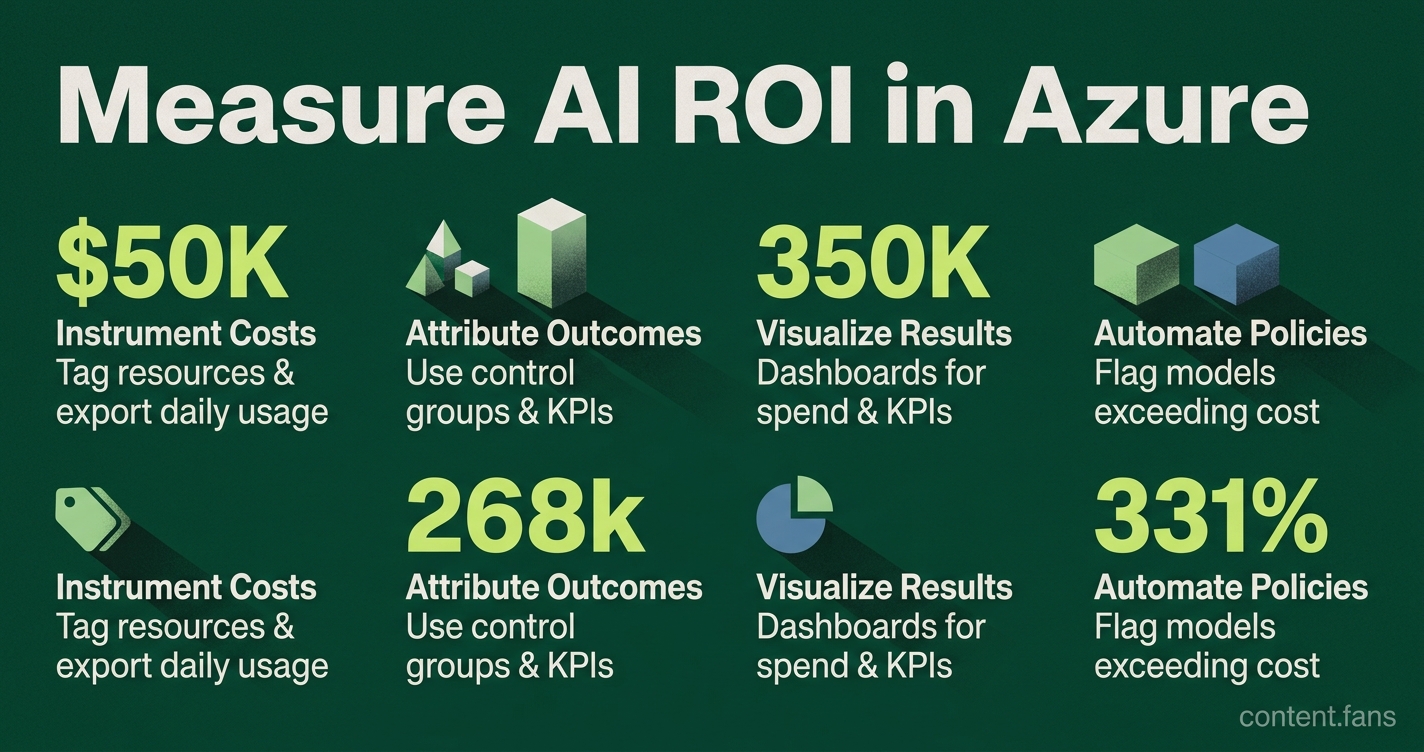
Measuring AI ROI in Azure involves a three-part process: instrumenting all related cloud costs using resource tags and cost exports, attributing those costs to specific business outcomes with control groups and KPIs, and visualizing the data in operational dashboards to track performance against financial goals.
Attribute Outcomes and Compute ROI with Business KPIs
Connecting cloud costs to business value is the most challenging step. The tutorial tackles this attribution problem by providing a template that uses feature flags to create control groups, enabling direct comparison through phased rollouts. To quantify impact, it recommends a comprehensive stack of Key Performance Indicators (KPIs):
- Value delivery: ROI percentage, cost per case, margin contribution
- Productivity: hours saved, cycle time reduction
- Quality: accuracy, rework rate
- Adoption: active users, task completion rate
- Risk: incident count, compliance findings
The framework emphasizes establishing a pre-AI baseline and gathering reliable financial signals over time, capturing data on different cadences to provide continuous insight without waiting for a full fiscal year.
Visualize Results in Operational Dashboards
To make the data accessible, the tutorial provides dashboard templates for both Azure Workbooks and Tableau. These visualizations align directly with the KPI stack, offering separate views for cloud spend, KPI changes, and A/B test results. By incorporating conditional formatting tied to Azure Budgets, the dashboards automatically flag models that exceed cost thresholds. This enables governance teams to implement automated policies, such as rolling back a model or reducing its quota if quality declines or costs spike. This structured approach provides a systematic method for measuring and optimizing AI investments across different industries.
What telemetry does the new Azure tutorial recommend for measuring AI ROI?
The tutorial focuses on three core telemetry layers:
1. Model-layer signals - prompt tokens, completion tokens, latency percentiles (P95, P99), and per-request cost pulled from Azure Monitor and Application Insights.
2. Application-layer events - a unique ai_intervention_id added to every user session so downstream revenue or ticket-resolution data can be joined back to the exact AI call.
3. Business KPI exports - scheduled Azure Cost Management Exports feed subscription-level spend into Power BI, letting finance teams view cost per conversion or cost per support ticket solved.
The guide warns that logging every prompt at high verbosity can significantly increase your Azure bill, so it includes sample scripts that sample a small percentage of traffic while still preserving statistical significance.
How does the tutorial solve attribution - proving that AI caused the outcome?
Attribution is handled with two practical patterns:
- Phased rollout: the tutorial's template spins up an Azure Container App with a feature flag service; users in Group A see responses generated by GPT-4, Group B gets the legacy rules engine. Because traffic is split at the API gateway, the downstream revenue or handle-time metrics can be compared directly.
- Synthetic control dashboard: for cases where true A/B is impossible, the template includes a DAX measure in Power BI that builds a matched cohort using pre-treatment covariates (industry, region, ticket volume). Microsoft's own ROI guidance says this quasi-experimental design still yields board-level confidence when combined with appropriate measurement windows.
What does "ROI" actually mean in the tutorial's context?
ROI is defined with a three-bucket formula that goes beyond simple cloud savings:
1. Direct financial impact - e.g. labor cost avoided = (old handle time - new handle time) × average agent cost × ticket volume.
2. Indirect uplift - revenue lift from faster customer response or higher NPS, translated into dollar value using historical regressions.
3. Risk-adjusted cost avoidance - lower compliance fine exposure because AI reduces manual errors.
The tutorial ships an Excel model that plugs the exported Azure costs into this equation, and it defaults to an appropriate time horizon to smooth out one-off spikes.
What common mistakes does the tutorial flag when measuring AI value?
- Measuring model accuracy instead of business value - the walkthrough shows how a summarization model with lower technical scores can still significantly cut editorial hours, the number that matters.
- Ignoring hidden costs - Azure API Management, Log Analytics ingestion, and network egress can add substantial costs on top of token pricing.
- One-time snapshots - drift in prompts or upstream data can swing ROI significantly within weeks, so the framework runs regular recalculations and triggers an alert in Azure Budgets when ROI drops below a threshold.
How can leaders use live ROI dashboards to steer policy?
The final section shows how to wire the Power BI tile to an Azure Logic App:
- If cost per resolved ticket rises above the pre-defined guardrail, the app calls the Azure OpenAI quota API to throttle model usage for low-margin queues.
- If ROI stays positive for multiple consecutive periods, the same flow auto-approves a blue-green deployment to promote the model from staging to production.
Microsoft's cited manufacturing ROI figure is up to 457% projected three-year ROI from a 2025 commissioned Forrester Consulting TEI study on industrial transformation with Microsoft AI, demonstrating the potential value of systematic AI measurement approaches.