
Microsoft Integrates Copilot with Autopilot for Unified Work Surface
Serge Bulaev
Microsoft has combined Copilot and Autopilot, so users can now access chat, code, files, and tasks in one place. However, adoption may be slowed by concerns about permissions and data sharing, as seen when a file transfer failed due to missing edit rights. Some studies suggest organizations are waiting to fully roll out Copilot until they have strong governance rules in place. Experts recommend starting with careful data mapping and permission controls, then training staff and tracking results. This shows that Copilot's benefits may depend on how well companies handle security and access issues.

Microsoft's integration of Copilot with Autopilot marks a significant evolution in workplace AI, creating a unified surface that combines chat, code, and Office applications. In a recent demonstration, a persistent agent named Autopilot managed complex, long-running tasks by pulling files and chats into a single, cohesive interface.
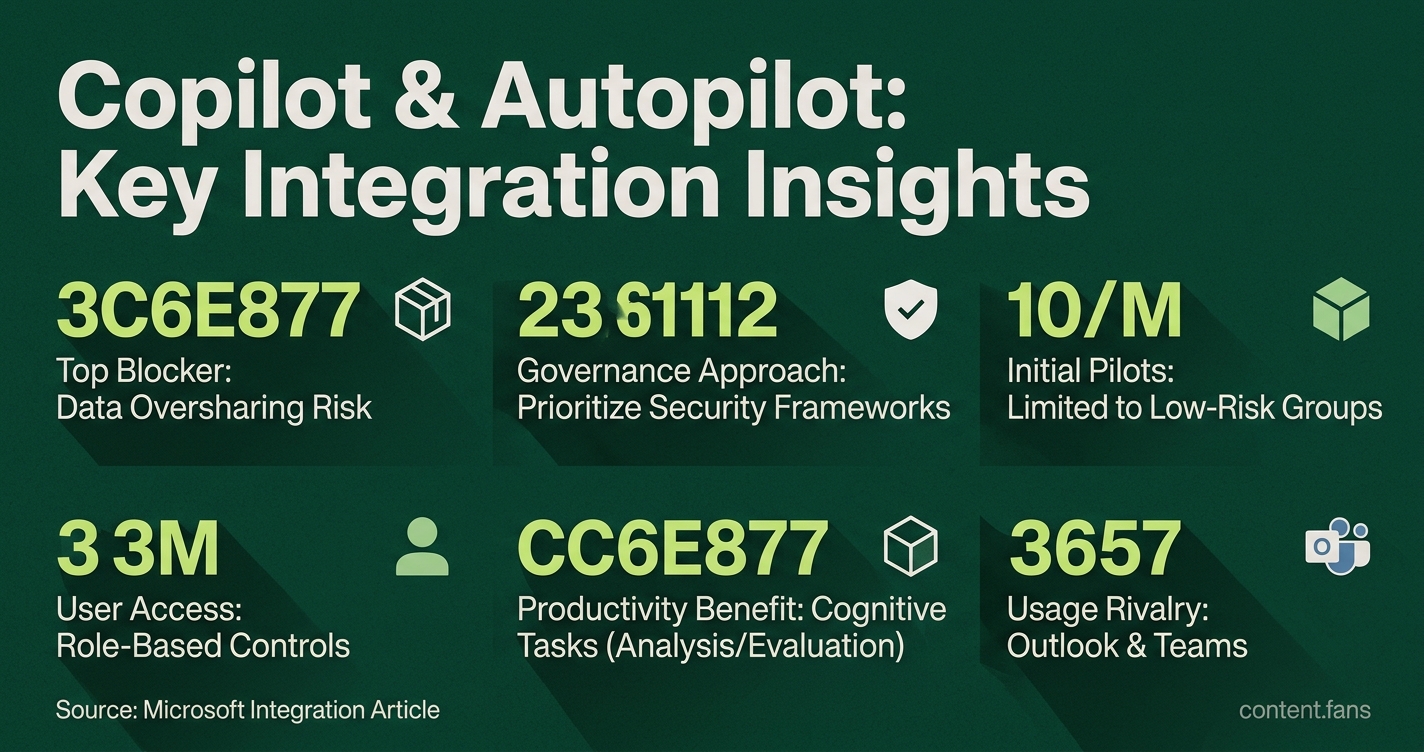
However, the integration also brings governance challenges to the forefront. During the test, a simple request to move a table from Word to Excel failed because the user account lacked specific edit permissions. This single hiccup highlights a top blocker to large-scale deployment: the risk of data oversharing across SharePoint, Teams, and OneDrive.
Governance hurdles shadow the integrated assistant
Organizations are addressing Copilot's governance hurdles by prioritizing security frameworks before widespread deployment. This involves mapping data sensitivity, defining access policies based on user roles, and implementing robust audit trails to monitor AI activity, ensuring that productivity gains do not compromise corporate data security or compliance standards.
Industry research confirms this cautious approach. Organizations are postponing large-scale rollouts to first establish clear data labels, DLP policies, and audit rules, with governance determining who scales and who stalls. Microsoft's own guidance reinforces this, advising administrators to start with a data labeling policy and treat Copilot as a governed workload rather than a simple add-on. Security concerns primarily center on data expansion, where Copilot might inadvertently surface sensitive content. Consequently, many firms are limiting initial pilots to low-risk groups and using role-based access controls instead of providing open tenant access.
Copilot Gets a Seat in the Org Chart in UX design, too
To mitigate security concerns, new UX designs are embedding clear permission controls directly into the chat interface. Best practices advocate for plain-language prompts (e.g., "Allow Autopilot to send this email?") and time-bounded access that users can easily revoke after a task is complete. The demo session confirmed this trend, as Copilot explicitly listed accessible files and immediately explained why a file was read-only. This transparent approach helps manage user expectations and reduces confusion, even when a request is denied.
Measuring productivity without ignoring risk
Despite the risks, the productivity benefits are significant. Microsoft reports that a significant portion of Copilot interactions involve cognitive tasks like analysis and evaluation, with weekly usage now rivaling core applications like Outlook and Teams. While persistent agents like Autopilot are expected to drive deeper engagement, experts warn they also expand the potential attack surface. To balance these factors, leading enterprises adopt a phased approach: establish strong governance first, create a champion network, and use ROI dashboards to track metrics like time saved and policy exceptions, which can accelerate approval for broader deployment.
Takeaway playbook for enterprise rollouts
A cross-reading of industry sources points to a pragmatic playbook for a successful Copilot and Autopilot deployment:
- Map Data Sensitivity: Classify all data before enabling Copilot to prevent unintended exposure.
- Implement Scoped Access: Begin with role-based or attribute-based controls and short-lived tokens instead of broad, open-ended access.
- Train Employees: Educate staff on effective prompting, result verification, and how to manage and revoke permissions.
- Monitor and Measure: Use a unified dashboard to track adoption rates, policy adherence, and tangible time savings.
This structured approach balances the power of an autonomous AI assistant with the non-negotiable need for corporate security boundaries. As the demo's stalled task shows, convenience travels only as far as the principle of least privilege allows.
Microsoft's integration of Copilot with Autopilot represents a significant evolution in enterprise AI - moving from simple chat assistance toward persistent, delegated workflow execution. Drawing from recent research and firsthand testing, here are the key questions organizations should consider.
What exactly does the Copilot-Autopilot integration combine?
The unified work surface brings together chat, code, Office applications, and a persistent agent called Autopilot into one interface. This consolidation means documents, conversations, and permissions all flow through a single assistant rather than requiring users to switch between separate tools. Autopilot maintains memory and workspace continuity, allowing it to monitor projects and continue assignments even after users log off.
Why did a basic task like moving a table between Word and Excel fail during testing?
Enterprise security controls prevented the action due to insufficient edit permissions. Even though the user could view both documents, Copilot lacked the specific edit rights required to modify the Excel file. This illustrates a critical tension: the same governance policies that protect sensitive data can block legitimate productivity gains when permission boundaries are too rigid. Organizations must balance convenience with scoped permissions and auditing - a challenge that grows more complex as agents gain autonomy.
How are enterprises managing the governance challenges this integration creates?
Successful deployments follow a clear pattern: governance before scale. According to Microsoft's own adoption guidance and industry analysis, organizations that stall typically struggle with data oversharing risks, unclear ROI, and training gaps. Those succeeding use phased rollouts by risk tier, establish AI champion networks for peer demonstration, and implement continuous monitoring through admin-center feedback policies. The research is clear - governance now determines who scales and who stalls.
What productivity gains does Microsoft claim for this agentic approach?
Microsoft reports that a significant portion of all Copilot conversations now support cognitive work - analysis, problem solving, evaluation, and creative thinking - rather than simple information retrieval or chat. Weekly engagement has risen to levels on par with Outlook and Teams. The company also cites that many AI users spend more time on high-value work and produce work they could not have created previously. These figures suggest the shift from assistance to delegation is already affecting how knowledge workers allocate their attention.
What UX principles should guide permission management for persistent agents?
The most effective designs make permissions visible, scoped, reversible, and tied to specific actions. Key practices include:
- Least privilege by default - agents receive only the access required for immediate tasks
- Plain-language permission prompts - users see "export this report to Finance" rather than technical API labels
- Scoped approval options - choices between "this session," "this workspace," or "this task" instead of blanket consent
- Fast revocation - obvious off-switches with immediate effect
- Complete audit trails - human-readable logs of what the agent did, why, and under what authority
For practical implementation, this means designing session multiplexing and explicit context selection UX that keeps users informed without overwhelming them, while product and security teams maintain tight lifecycle controls over agent identities and permissions.