Slack AI Integrates Salesforce, Google Workspace for Workflow Automation
Serge Bulaev
Slack AI now connects with Salesforce and Google Workspace to help automate work tasks without leaving the chat window. The new Slackbot may save users about 97 minutes a week by pulling data, drafting follow-ups, and summarizing conversations. Deeper integration with Salesforce, including 30 new AI features, suggests Slack wants to make it easier to work with CRM data and chats in one place. Connections to Microsoft Dynamics and Google Workspace use APIs, allowing users to find files or support tickets in Slack, though these do not yet have full sidebar features. Slack also added tools for changing message tone, making summaries, and admins can choose which channels use AI features, with more updates planned for 2026.
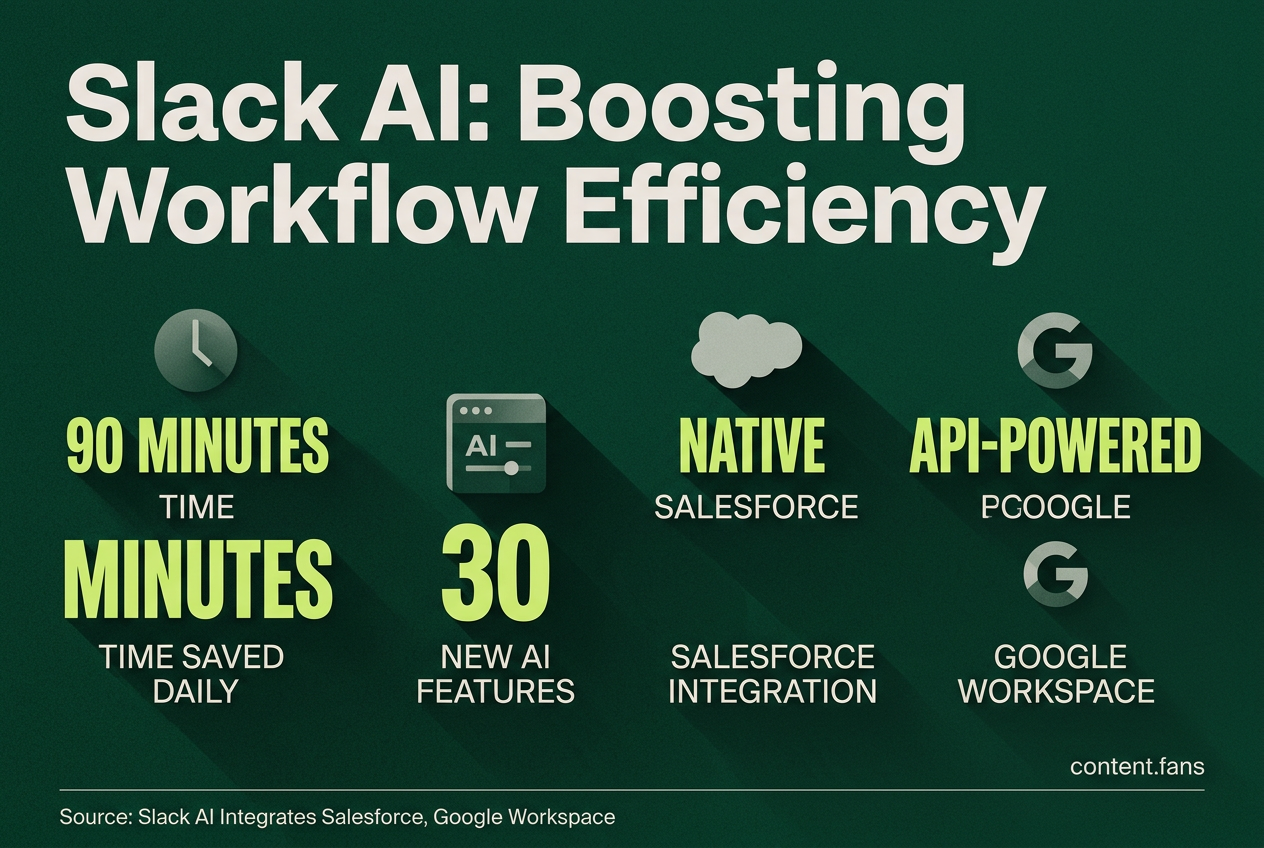
By enabling new Slack AI integrations for Salesforce and Google Workspace, the platform is becoming a central hub for enterprise workflow automation. The rebuilt Slackbot now surfaces customer data, drafts follow-ups, and connects records without users leaving the chat, saving up to 90 minutes daily for some employees.
Early adopters highlight the integration's depth as its key differentiator. The Native AI in Slack rollout for Salesforce, announced at Dreamforce, embeds CRM objects like Sales Cloud and Tableau data directly into the Slack sidebar. This allows a sales representative to mention an account and have Slackbot instantly retrieve live opportunity data, summarize recent conversations, and draft a recap. Slack AI includes 30 new AI features for this integration, suggesting a strategic shift toward conversational CRM.
Inside the Salesforce native rollout
The native Salesforce integration embeds critical CRM data directly into the Slack user interface. This allows teams to access and manage sales opportunities, view Tableau dashboards, and interact with customer records from a dedicated sidebar section, streamlining workflows by centralizing information and reducing context switching between applications.
- Dedicated Sidebar Access: Once linked, workspaces feature a dedicated Salesforce section in the sidebar for persistent access.
- Native Einstein Integration: Slack is building a native AI integration with Einstein Copilot for Salesforce CRM to enhance workflow connectivity.
- Enhanced AI Capabilities: Slack's native AI (not Slackbot) transcribes Huddles and automatically shares a summary with action items in a Slack Canvas. Slackbot Salesforce record actions and Voice-to-CRM logging (updating records via mobile conversation) were released in the June 2026 admin update.
This deeper integration aims to merge CRM data management with daily team conversations, creating a unified environment for sales teams to strategize and execute.
API-powered links to Microsoft Dynamics and Google Workspace
While Microsoft Dynamics and Google Workspace lack the native sidebar integration of Salesforce, they remain accessible through Slack's powerful APIs. Using the Real-Time Search (RTS) API and Model Context Protocol, teams can search for permissioned content, including Google Drive files and Dynamics support tickets, directly within Slack channels, as confirmed on the Slack AI features page.
These APIs allow developers to create context-aware agents that users can tag in-channel to perform tasks like retrieving a file from Google Drive or viewing a case from Dynamics. This extensible model, which supports agents from partners like OpenAI and Anthropic, highlights Slack's strategy of fostering an open ecosystem over building bespoke connectors.
Summarization and workflow features
Slack AI includes channel recaps and thread summaries among its core capabilities. Internal pilots with companies including Anthropic, Wayfair, Asymbl, Engine, and reMarkable demonstrated significant time savings. Key functions include:
- Message Enhancement: Rewrite messages to match professional communication standards.
- Summarization: Generate one-click summaries of threads and channels, complete with citations.
- Automated Recaps: Receive morning digests of key conversations from busy channels.
- Huddle Notes: Automatically create Canvas documents with notes and action items after Huddles.
Slack AI is available as a paid add-on for Enterprise plans.
Current capabilities and rollout
Slackbot Salesforce record actions and Voice-to-CRM logging capabilities allow teams to update CRM fields through conversational commands. The company continues to expand support for its Model Context Protocol (MCP), allowing more third-party AI agents to interact with chat history. This layered strategy reinforces Slack's ambition to become the primary interface for all work.
How does Slack AI connect Salesforce, Microsoft Dynamics and Google Workspace into one workflow?
Slack AI turns the chat window into a single command center.
- Salesforce records, deal alerts and Tableau dashboards now live in the Slack sidebar through the rebuilt Slackbot, so reps can update opportunities or pull customer history without switching apps.
- Microsoft Dynamics tickets and Google Drive decks are searchable inside Slack via the Real-Time Search API; just type "slides buried in Google Drive" and the AI surfaces the file next to relevant messages.
- Partners like OpenAI and Anthropic supply agents that plug into the same interface, letting you tag @Codex to push CRM notes straight from a thread.
What real tasks can the new Slackbot handle for sales and service teams?
Think of it as an extra teammate that never clocks out.
- Before a call: auto-summarizes recent Slack messages about the account and drops them into a private note.
- During the call: listens in, transcribes, then logs the call and next steps back to Salesforce with one click.
- After the call: drafts the follow-up email and schedules the next meeting, streamlining post-call workflows.
How accurate is the AI tone mimic, and where can it go wrong?
Slack AI studies your message history to learn phrasing and communication patterns. Source users report significant time savings in message composition. Still, the model can miss sarcasm or industry jargon, so always review before hitting send on client-facing notes.
Which plans get the new features, and do I need IT to turn them on?
The update was unveiled March 31, 2026, and is live for Business+ and Enterprise+ workspaces. Automatic provisioning for new Salesforce customers begins in summer 2026. Slack AI is available as a paid add-on for Enterprise plans.
What productivity gains are teams reporting so far?
Early adopters report up to 90 minutes daily savings for some employees by:
- finding information faster with AI search,
- skipping read-ups through one-click thread summaries,
- eliminating manual note-taking after Huddles. Inside Salesforce teams report saving up to 20 hours per week through these workflow improvements.