
Google updates Ads API to v24.1, expands AI experiments and mobile segmentation
Serge Bulaev
Google has released Ads API v24.1, which may help developers segment data more precisely and run AI-based experiments. The update introduces a new field for separating iOS and Android results, and adds options for static image ads in Demand Gen. A new flag appears to show if users turned on passkey authentication, supporting passwordless logins. Additional experiment types and mandatory fields for video ads are included, and Google warns that starting June 2026, daily or weekly data older than 37 months will not be available via the API.

Google has released version 24.1 of the Google Ads API, introducing significant updates for developers that expand AI experiments and mobile segmentation capabilities. The update includes updated client libraries and various new features for advertisers focused on visibility, security, and experimentation.
Granular Mobile Segmentation for iOS and Android
The new segments.mobile_device_platform field allows reports to differentiate performance between iOS and Android devices. As noted by Search Engine Land, this granularity is critical for app marketers to optimize bids and creative strategies based on operating system performance, moving beyond a generic "mobile" classification.
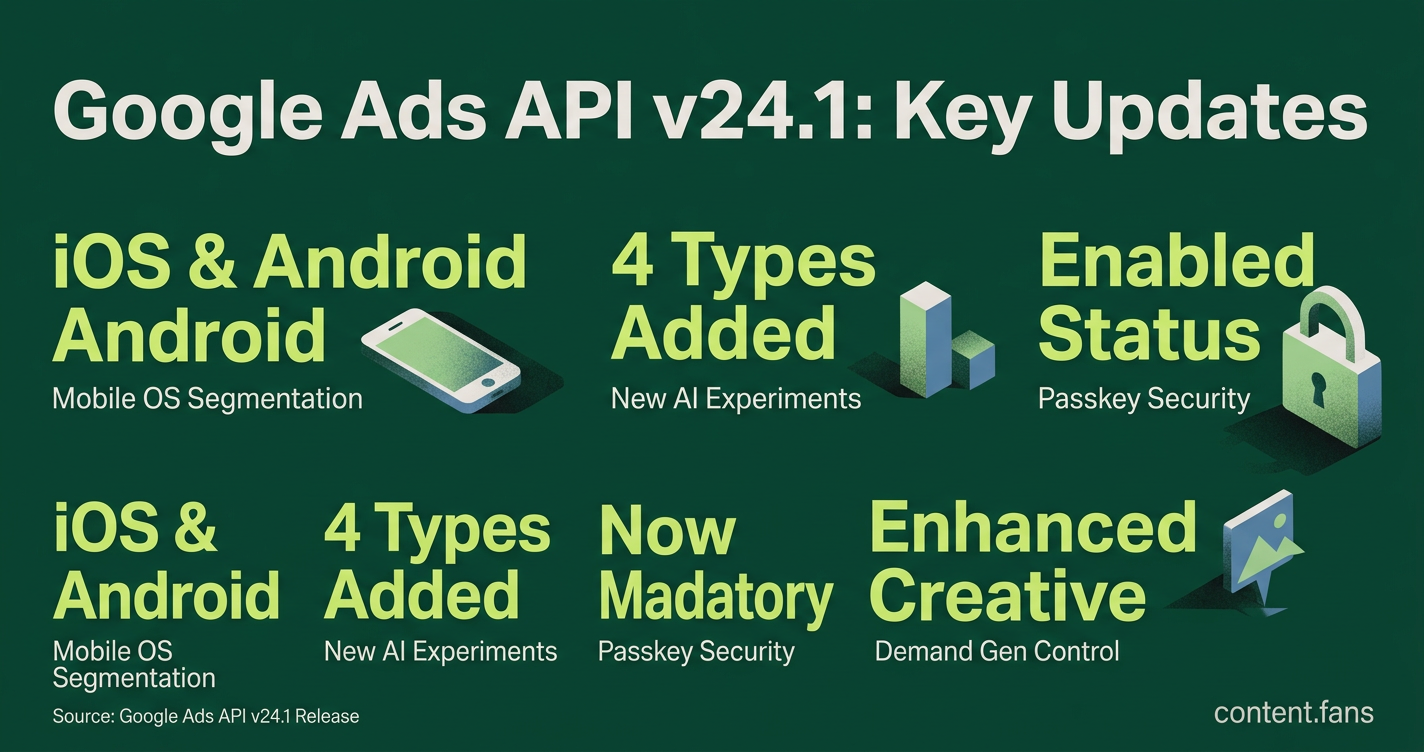
The v24.1 update primarily helps advertisers by introducing precise mobile OS segmentation, new AI-driven experiment types like AI Max adoption, and greater creative control in Demand Gen campaigns. It also enhances account security with passkey visibility and enforces new requirements for video ad creation.
Full Creative Control in Demand Gen Campaigns
Version 24.1 introduces enhanced creative control options for Demand Gen campaigns. This allows advertisers to have more control over how their static image ads are served, which is important for brands with strict visual guidelines but requires updating asset upload workflows.
Enhanced Security with Passkey Authentication Status
A new CustomerUserAccess.passkey_enabled field now indicates if a user has enabled passkey authentication. This update supports Google's broader shift to passwordless logins. Developer tools and admin panels should now surface this flag to promote stronger account security.
Expanded AI and Performance Max Experimentation
The ExperimentTypeEnum has been broadened to include ADOPT_AI_MAX, ADOPT_BROAD_MATCH_KEYWORDS, OPTIMIZE_ASSETS, and PMAX_REPLACEMENT_SHOPPING. With additional metrics available directly in the ExperimentArm, developers can now automate A/B tests for Performance Max upgrades, broad match adoption, and asset optimization without manual campaign cloning.
Breaking Change: Mandatory Fields for Video Ads
Upgrading to v24.1 introduces a breaking change: the videos, business_name, and logo_images fields are now mandatory for several video ad objects. API calls that previously treated these as optional will now fail, requiring immediate validation updates.
Developer Upgrade Checklist
- Upgrade client libraries to v24.1.
- Incorporate
segments.mobile_device_platforminto reporting for OS-specific insights. - Update Demand Gen workflows to support enhanced creative control features.
- Surface the
passkey_enabledflag in user management interfaces. - Expand experiment tools to support new AI Max and PMax test types.
Data Retention Considerations
According to industry reports, Google may implement changes to data retention policies that could affect long-term historical data access via the API. Teams requiring extensive historical data should consider exporting their data and may need to adjust reporting strategies for older data segments.
What new granular reporting options does Google Ads API v24.1 introduce?
segments.mobile_device_platform is the headline addition. You can now pull every metric broken out by iOS and Android at both campaign and customer level. This gives mobile app marketers and e-commerce teams clear visibility into how each operating system is contributing to conversions, ROAS, and cost, letting you set different bidding rules or creative rotations per platform without manual work-arounds.
How has experiment support been expanded for AI-driven campaigns?
The release adds four brand-new experiment types:
- ADOPT_AI_MAX - test switching legacy Search or DSA campaigns to the new AI Max format
- ADOPT_BROAD_MATCH_KEYWORDS - measure incremental lift when broad match replaces phrase/exact
- OPTIMIZE_ASSETS - evaluate AI-generated versus manually uploaded image and text assets
- PMAX_REPLACEMENT_SHOPPING - replace a Standard Shopping campaign with a Performance Max variant and compare revenue and cost
All experiment arms now carry extra metrics objects (asset_testing_info, performance_max_experiment_arm_info) that surface detailed incremental stats directly in the API response instead of requiring post-processing.
Are there any security enhancements developers must surface to users?
Yes. The CustomerUserAccess.passkey_enabled field is now available. Apps that build account governance or user-management dashboards should surface this flag so administrators can see which logins have moved to password-less authentication and which still rely on legacy passwords, aligning with Google's wider roll-out of passkey-based sign-in.
What breaking changes should we validate before upgrading?
Three areas need immediate attention:
1. Video responsive ads - videos, business_name, and logo_images are now required for both DemandGenVideoResponsiveAdInfo and VideoResponsiveAdInfo. Existing flows that omit any of these will fail on create or update calls.
2. Demand Gen creatives - if you automate creative uploads, consider implementing support for enhanced creative control features in DemandGenMultiAssetAd to optimize asset management.
3. Experiment fields - any code that writes to ExperimentArm must include the new structure; otherwise the write request will be rejected.
How do potential data-retention changes affect API usage?
According to industry reports, Google may implement tiered retention policies that could affect historical data access:
- Daily, weekly, hourly segments - may have limited historical availability
- Monthly, quarterly, yearly segments - likely to retain longer-term access
Developers who need long-term trend analysis should:
- Export raw granular data proactively if long-term access is critical
- Consider refactoring dashboards to use monthly segmentation for historical analysis
- Audit BigQuery transfers, scheduled scripts, and BI pipelines to ensure continuity